
100 ví dụ hỏi và trả lời về thiết bị văn phòng
Đọc thêm: 101 Bài Tiếng Anh Giao Tiếp Cơ Bản Full
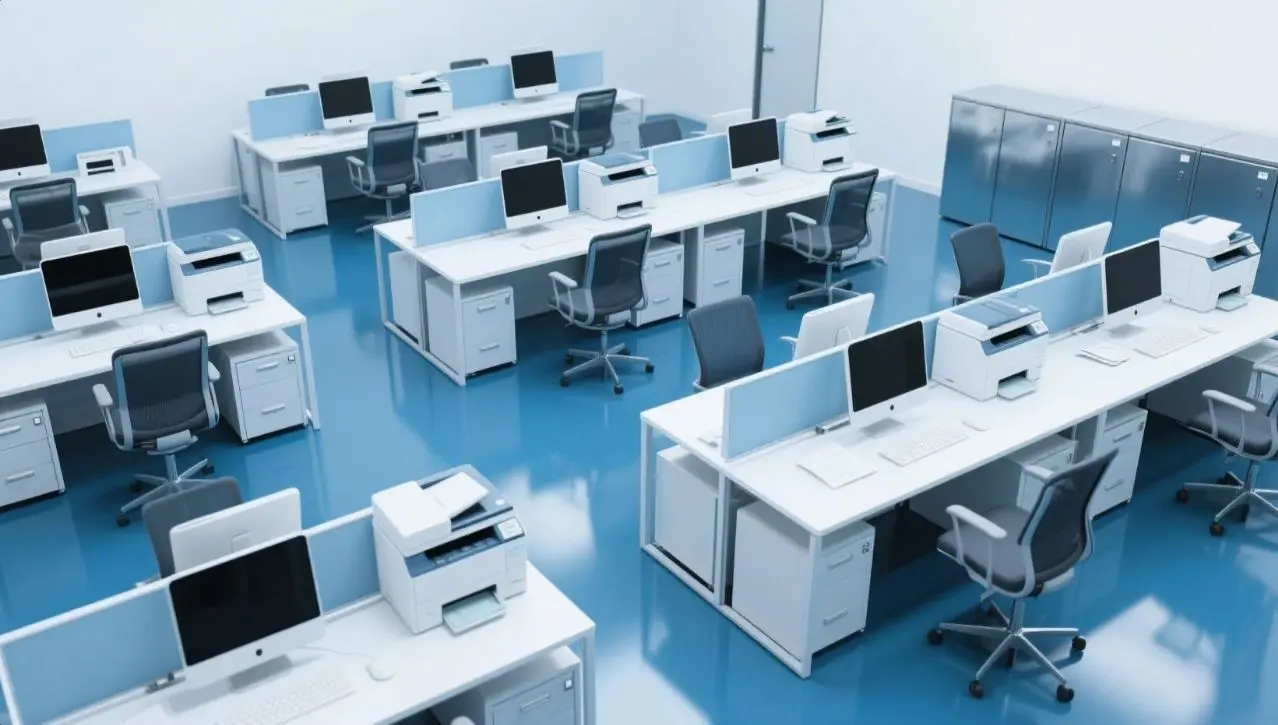
General Questions About Office Equipment
- Q: What is office equipment?
A: Office equipment includes tools and devices used in an office to perform tasks, such as computers, printers, and phones. - Q: Why is office equipment important?
A: Office equipment improves efficiency, supports daily tasks, and enhances productivity in the workplace. - Q: What are common types of office equipment?
A: Common types include computers, printers, scanners, photocopiers, telephones, and shredders. - Q: What is the purpose of a computer in an office?
A: A computer is used for tasks like data processing, communication, document creation, and managing projects. - Q: What is a multi-function printer?
A: A multi-function printer can print, scan, copy, and sometimes fax documents. - Q: How do I choose office equipment for a small business?
A: Consider your budget, needs, space, and equipment features like durability and efficiency. - Q: What is ergonomic office equipment?
A: Ergonomic equipment, like adjustable chairs or keyboards, is designed to reduce strain and improve comfort. - Q: How often should office equipment be replaced?
A: It depends on usage, but most equipment is replaced every 3-7 years due to wear or outdated technology. - Q: What is a paper shredder used for?
A: A paper shredder destroys sensitive documents to protect confidential information. - Q: How do I maintain office equipment?
A: Regular cleaning, software updates, and professional servicing help maintain office equipment.
Computers and Laptops
- Q: What is a desktop computer used for in an office?
A: It’s used for tasks like email, data entry, document creation, and running office software. - Q: Why do offices use laptops instead of desktops?
A: Laptops are portable, allowing employees to work remotely or move between locations. - Q: How do I clean a computer monitor?
A: Use a microfiber cloth and a screen-safe cleaner, avoiding harsh chemicals. - Q: What is a docking station?
A: A docking station connects a laptop to peripherals like monitors, keyboards, and mice for a desktop-like setup. - Q: How do I update office computer software?
A: Check for updates in the software settings or use an IT system to install updates automatically. - Q: What is a server in an office?
A: A server stores, manages, and shares data or applications across an office network. - Q: How do I troubleshoot a slow computer?
A: Clear disk space, update software, run antivirus scans, or restart the computer. - Q: What is a firewall in office computers?
A: A firewall protects office computers from unauthorized access and cyber threats. - Q: How do I back up office computer data?
A: Use external drives, cloud storage, or backup software to save important files regularly. - Q: What is a VPN for office computers?
A: A VPN (Virtual Private Network) secures remote access to office networks, protecting data.
Printers and Scanners
- Q: What does a printer do in an office?
A: A printer produces hard copies of digital documents, such as reports or contracts. - Q: What’s the difference between an inkjet and a laser printer?
A: Inkjet printers use liquid ink for high-quality color prints, while laser printers use toner for faster, sharper text. - Q: How do I fix a paper jam in a printer?
A: Turn off the printer, gently remove the jammed paper, and check for obstructions. - Q: What is a scanner used for?
A: A scanner converts physical documents or images into digital files. - Q: How do I connect a printer to a network?
A: Use Wi-Fi or Ethernet to connect the printer to the office network and install drivers on computers. - Q: What is a toner cartridge?
A: A toner cartridge contains powdered ink used in laser printers. - Q: How do I scan a document to my computer?
A: Place the document in the scanner, select scan settings, and save the file to your computer. - Q: Why does my printer keep going offline?
A: Check the network connection, restart the printer, or update the printer drivers. - Q: How do I replace ink in a printer?
A: Open the printer, remove the empty cartridge, and install a new one following the manual. - Q: What is duplex printing?
A: Duplex printing is printing on both sides of the paper automatically.
Photocopiers and Fax Machines
- Q: What is a photocopier used for?
A: A photocopier creates copies of documents by scanning and printing them. - Q: How do I maintain a photocopier?
A: Clean the glass, replace toner, and schedule regular maintenance checks. - Q: What is a fax machine?
A: A fax machine sends and receives documents electronically over a phone line. - Q: How do I send a fax?
A: Place the document in the fax machine, dial the recipient’s number, and press send. - Q: Why is my photocopier producing blurry copies?
A: Clean the glass or check the toner; blurry copies may indicate low ink or dirt. - Q: Can a photocopier scan documents?
A: Yes, many modern photocopiers have built-in scanners. - Q: How do I troubleshoot a fax machine error?
A: Check the phone line, ensure paper is loaded, and confirm the recipient’s fax number. - Q: What’s the difference between a photocopier and a printer?
A: A photocopier copies physical documents, while a printer creates documents from digital files. - Q: How do I reduce photocopier paper waste?
A: Use duplex copying and recycle misprinted pages. - Q: Is a fax machine still useful in modern offices?
A: While less common, fax machines are still used in industries like healthcare and law for secure document sharing.
Telephones and Communication Devices
- Q: What is a VoIP phone?
A: A VoIP (Voice over Internet Protocol) phone makes calls over the internet instead of traditional phone lines. - Q: How do I set up a conference call?
A: Use a conference phone or service, dial participants, and enter the conference code. - Q: What is a headset used for in an office?
A: A headset allows hands-free phone calls and improves audio clarity during virtual meetings. - Q: How do I transfer a call on an office phone?
A: Press the transfer button, dial the extension, and hang up after connecting. - Q: What is a speakerphone?
A: A speakerphone allows multiple people to hear and participate in a call without holding the receiver. - Q: How do I check voicemail on an office phone?
A: Dial the voicemail extension, enter your password, and listen to messages. - Q: Why is my office phone not working?
A: Check the power, connection, or contact IT to troubleshoot the issue. - Q: How do I use call forwarding?
A: Activate call forwarding in the phone settings to redirect calls to another number. - Q: What is an intercom system in an office?
A: An intercom system allows internal communication between office rooms or departments. - Q: How do I maintain office phones?
A: Clean handsets regularly, update software, and check connections for issues.
Other Office Equipment
- Q: What is a projector used for in an office?
A: A projector displays presentations or videos on a screen or wall for meetings. - Q: How do I connect a projector to a laptop?
A: Use an HDMI or VGA cable and select the correct input source on the projector. - Q: What is a laminator?
A: A laminator seals documents in plastic to protect them from damage. - Q: How do I use a binding machine?
A: Punch holes in paper, insert a binding spine, and close it using the machine. - Q: What is a label maker?
A: A label maker prints adhesive labels for organizing files, equipment, or supplies. - Q: How does a time clock work in an office?
A: A time clock records employees’ work hours by scanning cards or biometric data. - Q: What is a shredder jam, and how do I fix it?
A: A shredder jam occurs when paper gets stuck; unplug it and carefully remove the paper. - Q: What is a whiteboard used for?
A: A whiteboard is used for brainstorming, presentations, or writing notes during meetings. - Q: How do I clean a whiteboard?
A: Use a whiteboard eraser or a cloth with whiteboard cleaner to remove marks. - Q: What is a cash register in an office?
A: A cash register records sales and stores money, often used in small office-based businesses.
Office Furniture as Equipment
- Q: What is an ergonomic chair?
A: An ergonomic chair supports proper posture to reduce back and neck strain during work. - Q: Why are standing desks popular in offices?
A: Standing desks reduce health risks from prolonged sitting and improve focus. - Q: What is a filing cabinet used for?
A: A filing cabinet stores and organizes physical documents securely. - Q: How do I choose an office desk?
A: Consider size, storage needs, material, and ergonomic features for comfort. - Q: What is a partition in an office?
A: A partition divides office space to create private work areas or reduce noise. - Q: How do I maintain office furniture?
A: Clean regularly, tighten loose screws, and avoid overloading shelves or desks. - Q: What is a monitor arm?
A: A monitor arm mounts a computer screen to a desk, saving space and adjusting height. - Q: Why use a footrest in an office?
A: A footrest improves circulation and comfort for employees who sit for long periods. - Q: What is a modular office desk?
A: A modular desk can be rearranged or expanded to fit different office layouts. - Q: How do I organize a filing cabinet?
A: Use folders, labels, and categories like alphabetical or chronological order.
Troubleshooting Office Equipment
- Q: Why is my office computer freezing?
A: It could be due to low memory, outdated software, or malware; restart or contact IT. - Q: How do I fix a printer that won’t print?
A: Check connections, ensure paper and ink are loaded, and restart the printer. - Q: What do I do if a scanner isn’t working?
A: Verify the connection, update drivers, or restart the scanner and computer. - Q: How do I fix a jammed shredder?
A: Unplug the shredder, use reverse mode, and carefully remove stuck paper. - Q: Why is my office phone line busy?
A: Check if someone is using it or if there’s a network issue; contact IT if needed. - Q: How do I troubleshoot a projector not displaying?
A: Check cables, input source, and ensure the projector is powered on. - Q: What do I do if a photocopier shows an error code?
A: Refer to the manual for the code’s meaning or call a technician. - Q: Why is my office Wi-Fi slow?
A: Too many devices, interference, or a weak signal may be the cause; restart the router or contact IT. - Q: How do I fix a computer that won’t turn on?
A: Check the power cable, battery, or contact IT for hardware issues. - Q: What do I do if a fax machine isn’t sending?
A: Confirm the number, check the phone line, and ensure paper is loaded correctly.
Miscellaneous Office Equipment Questions
- Q: What is a barcode scanner used for in an office?
A: A barcode scanner tracks inventory or scans documents for digital records. - Q: How do I use a paper cutter safely?
A: Keep fingers away from the blade, use the guard, and follow instructions. - Q: What is a smartboard in an office?
A: A smartboard is an interactive digital whiteboard for presentations and collaboration. - Q: How do I choose a good office printer?
A: Look for speed, print quality, cost per page, and network compatibility. - Q: What is a UPS device in an office?
A: A UPS (Uninterruptible Power Supply) provides backup power during outages. - Q: How do I dispose of old office equipment?
A: Recycle through certified e-waste programs or donate usable equipment. - Q: What is a document camera?
A: A document camera displays physical documents or objects on a screen for presentations. - Q: How do I secure office equipment?
A: Use locks, password protection, and keep sensitive devices in secure areas. - Q: What is a binding comb?
A: A binding comb is a plastic spine used to hold punched pages together in a binding machine. - Q: How do I reduce energy use by office equipment?
A: Use energy-saving modes, turn off devices when not in use, and choose efficient models.
Fun and Cultural Office Equipment Questions
- Q: Why do offices still use fax machines?
A: Some industries use faxes for legal or secure document transmission. - Q: What’s the most outdated office equipment?
A: Typewriters and floppy disks are considered outdated in modern offices. - Q: How do I make an office desk more comfortable?
A: Add an ergonomic chair, monitor arm, and organize cables for a tidy workspace. - Q: What’s a fun office equipment gadget?
A: A mini USB desk fan or a novelty stapler can add fun to the workplace. - Q: How do I organize office equipment cables?
A: Use cable organizers, clips, or sleeves to keep cables tidy and untangled. - Q: What’s a common office equipment mistake?
A: Not reading manuals, leading to improper use or damage. - Q: How do I share office equipment with coworkers?
A: Create a schedule or booking system for shared devices like printers or projectors. - Q: What’s a modern alternative to a fax machine?
A: Online fax services or secure email attachments are modern alternatives. - Q: How do I choose eco-friendly office equipment?
A: Look for Energy Star-certified devices and those made from recyclable materials. - Q: What’s the most essential office equipment?
A: A computer is often the most essential for modern office tasks like communication and data management.